How it works
Find your wallet QR code in the fomo app, post it once tagging @joinfomoapp, and the onboarding agent sends you $2 in USDC on Solana.
1
Find your wallet QR code
Open the fomo app. Four taps and you're there.
-
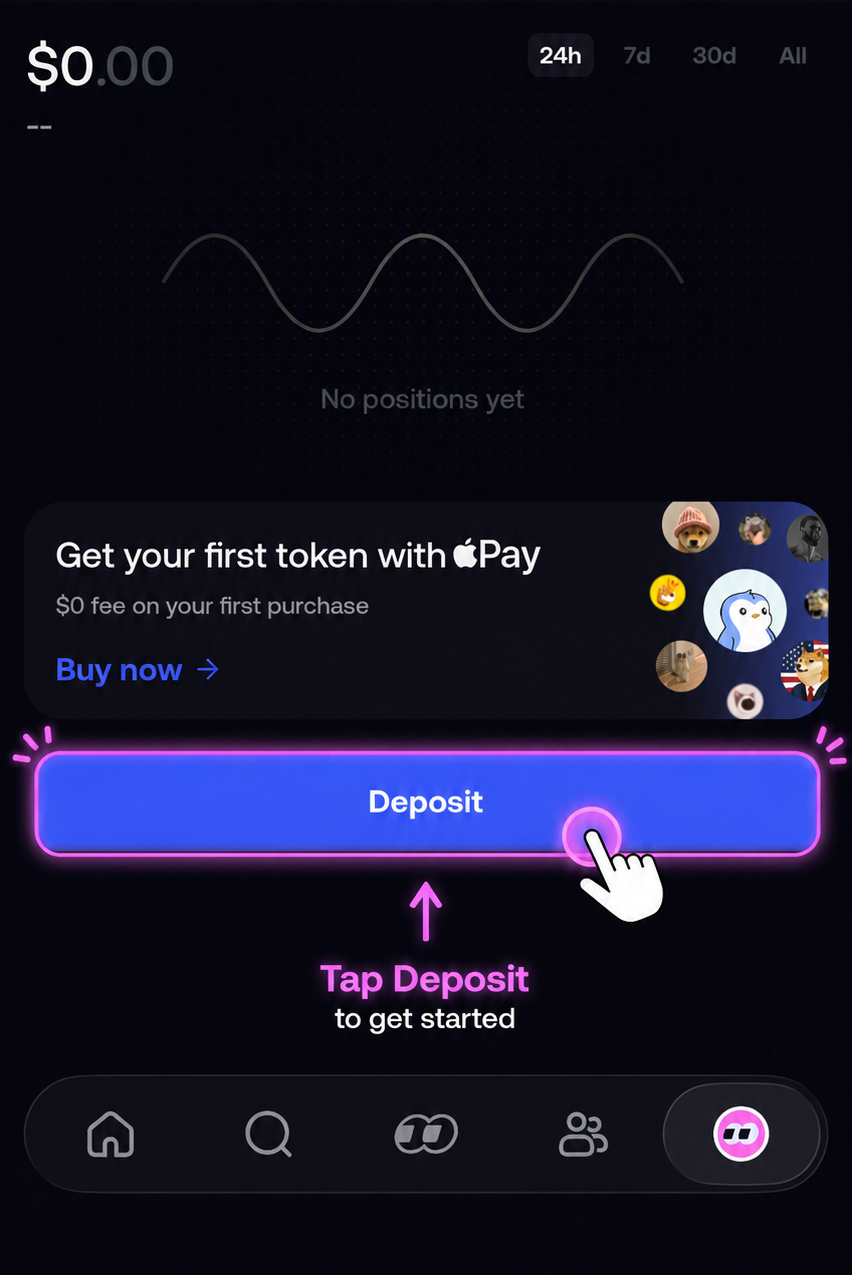
Step 1 On the profile tab, tap the blue Deposit button.
-
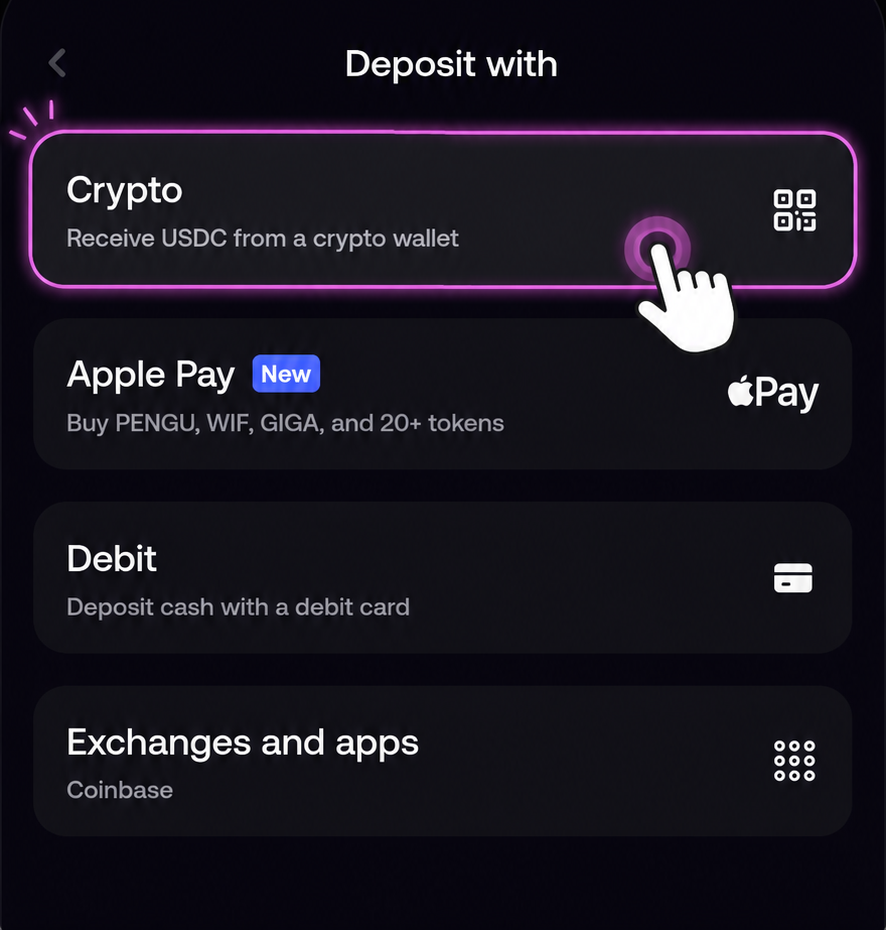
Step 2 Choose Crypto — “Receive USDC from a crypto wallet”.
-
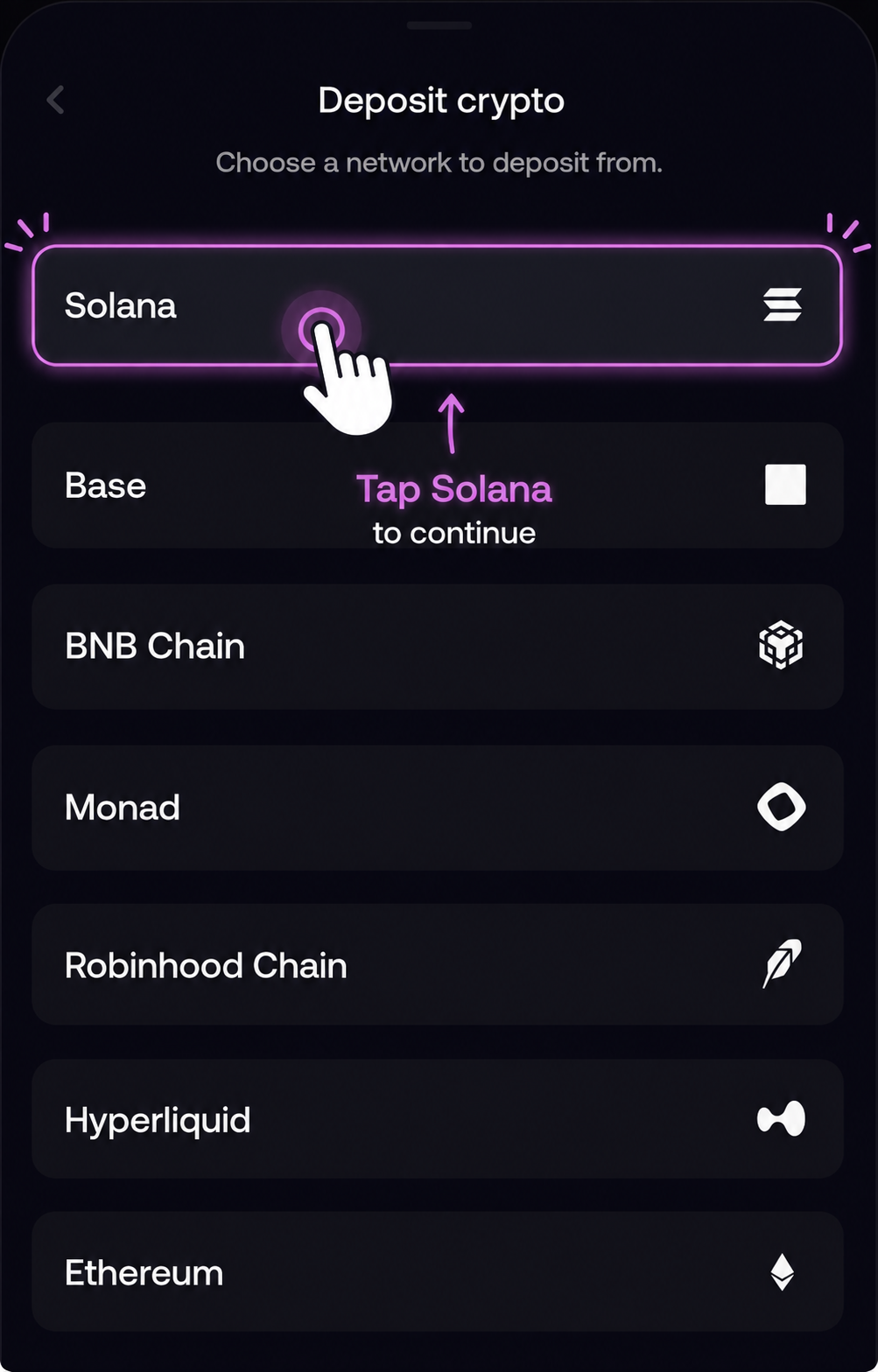
Step 3 Pick Solana as the network. This is the network we pay on.
-
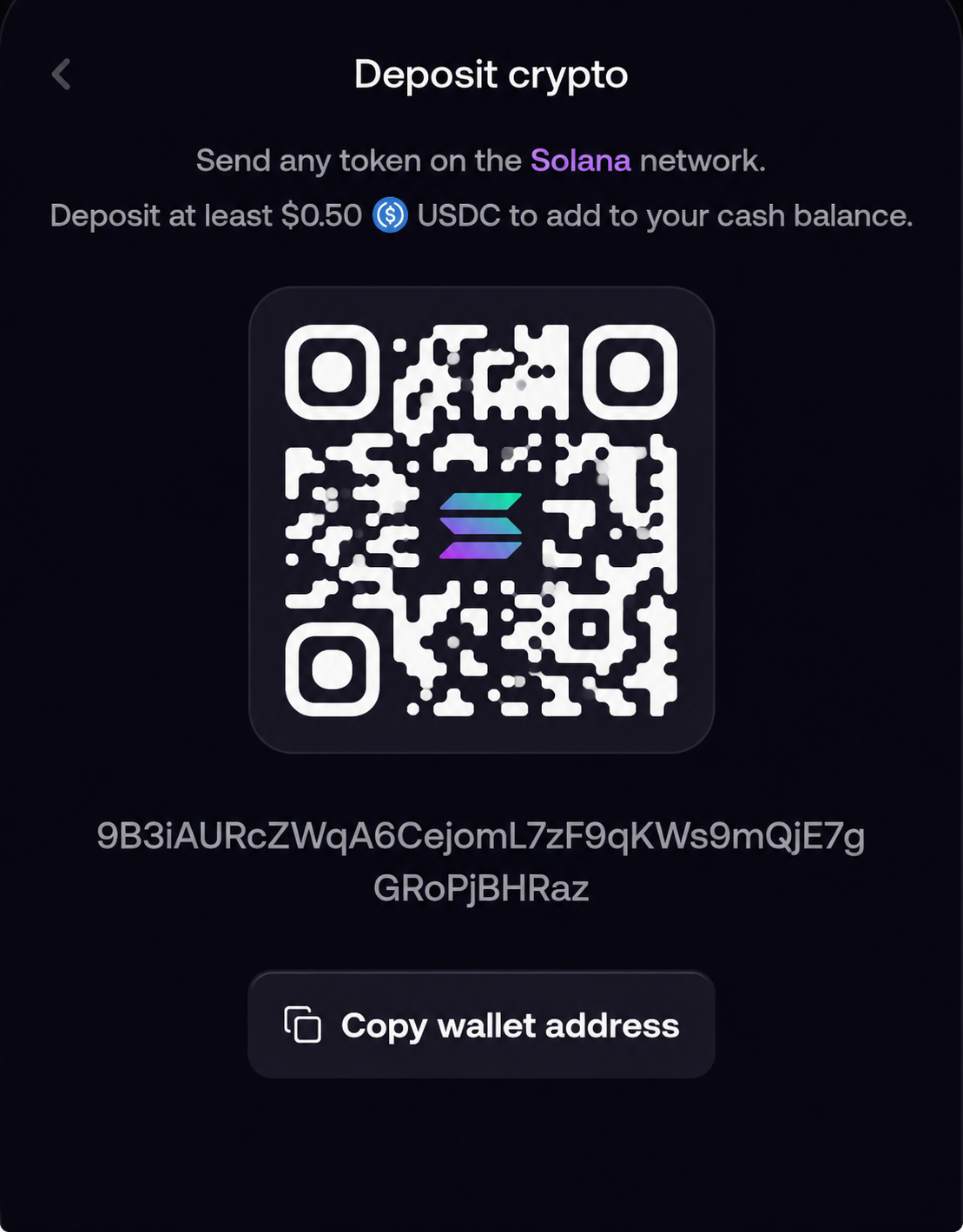
Step 4 Screenshot only the QR code. Crop out the rest if you can.
2
3